

How to Install Extensions in Tachiyomi (Simplest Guide)
The most common problem faced by almost every user is how to install tachiyomi extensions. No Problem, I will provide you with the complete step by step guide. Due to modification in the algorithm many users are mysterious because extensions in tachiyomi do not show anywhere. Use our official website to download tachiyomi apk.
First Install Tachiyomi
First you have to install the Tachiyomi. If you already installed it and it is working properly it’s good. Otherwise you have to uninstall it to clean the setup. The next step is to download the tachiyomi latest version from our official website or any other trusted source and then simply install it.
After Installation Tachiyomi Setup Instructions
When the installation process is complete, the next step is to open the app. To open it go to the Tachiyomi icon and press it to open the app.
- If you want to customize your reading experience, tachiyomi allows you. You can change the interface for better experience such as you can change the theme whether light or dark mode and many other changes according to your requirement.
- The next step is to select the storage folder. You can use the existing folders or create a new folder. It is necessary that your storage allows you to download manga content.
- Now you have to grant permissions such as storage access, network permission to run the app smoothly.
- This is the last step of this setup that is tap the Next button and then tap Get Started to complete this setup.
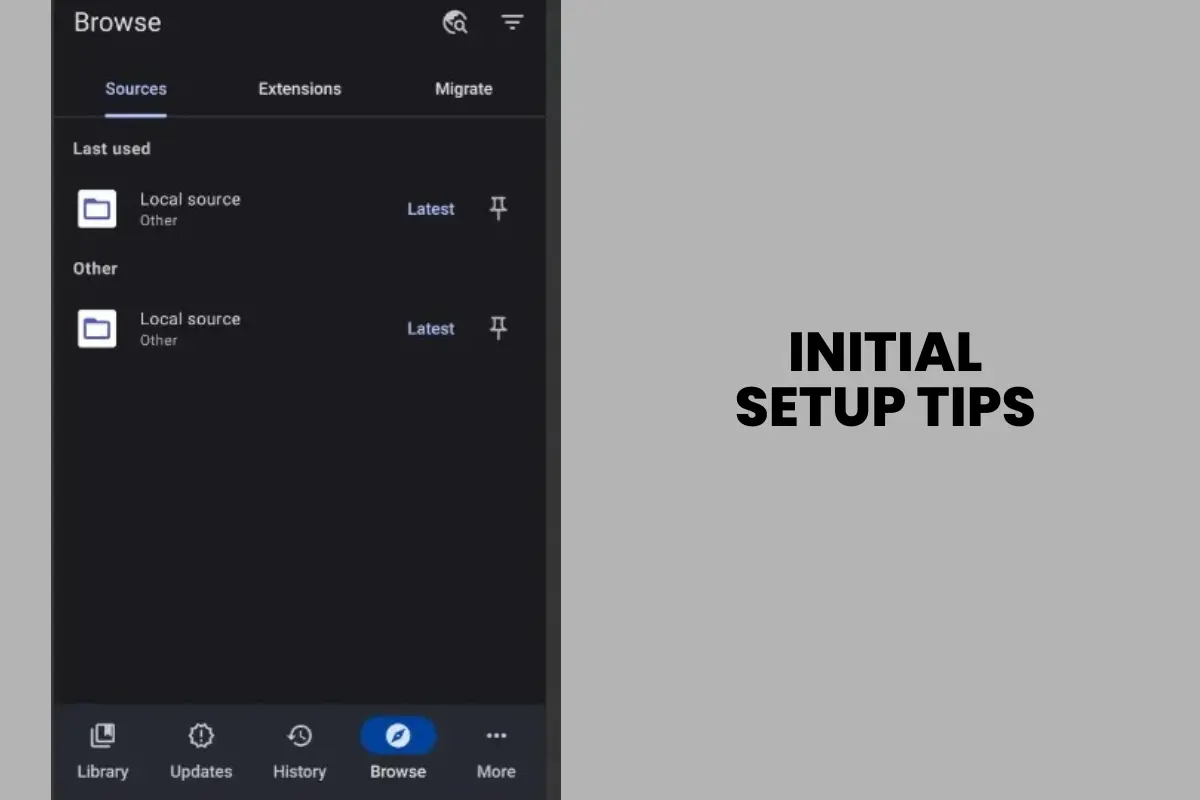
Handling Extension Download Errors
Sometimes you face problems while downloading the extensions not due to internet or device problems. It is due to the bugs in the extension repository. A repository is like a “library” or “storehouse” where the extensions are hosted and made available for easy download and then install.
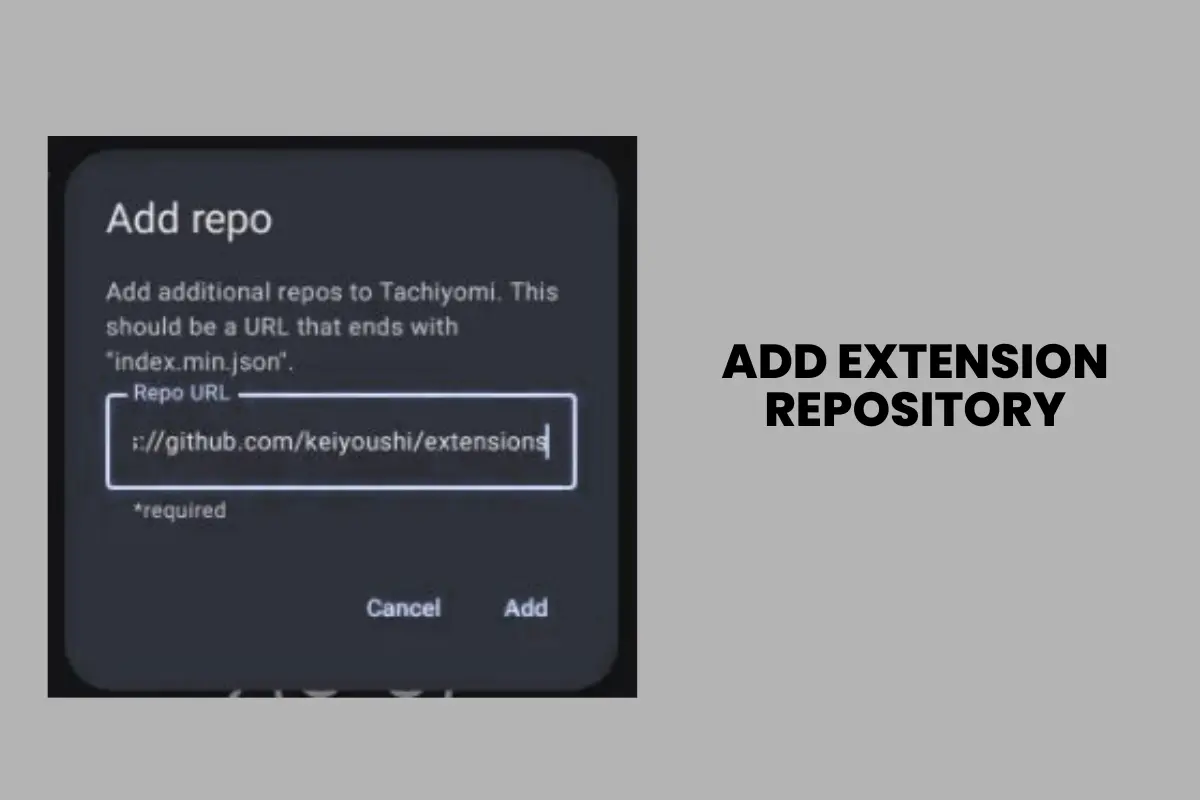
How Does this Happen?
Some extensions like Bilibili do not work properly in the main repository because of the following reasons such as old links, server issues or GitHub rate limit or removal.
How can we fix these errors manually?
You can download .apk files of extension from direct GitHub link manually. In the next step you have to open the download file and install it.
Install an extension
Suppose you want to install MangaLife. Go to the GitHub extension list and search MangaLife on it and download it. Now open the tachiyomi, navigate to browse you will see the extension under untrusted. Tap it and add to trusted. Now you can go to the source and everything is fine.
But if you want to install tachiyomi extensions in your pc or ios, then first of all you have to download tachiyomi for pc and tachiyomi for iOS, and then simply setup the tachiyomi. After following the above instructions to setup tachiyomi, it seems very easy for you to install tachiyomi extensions in your pc and ios.
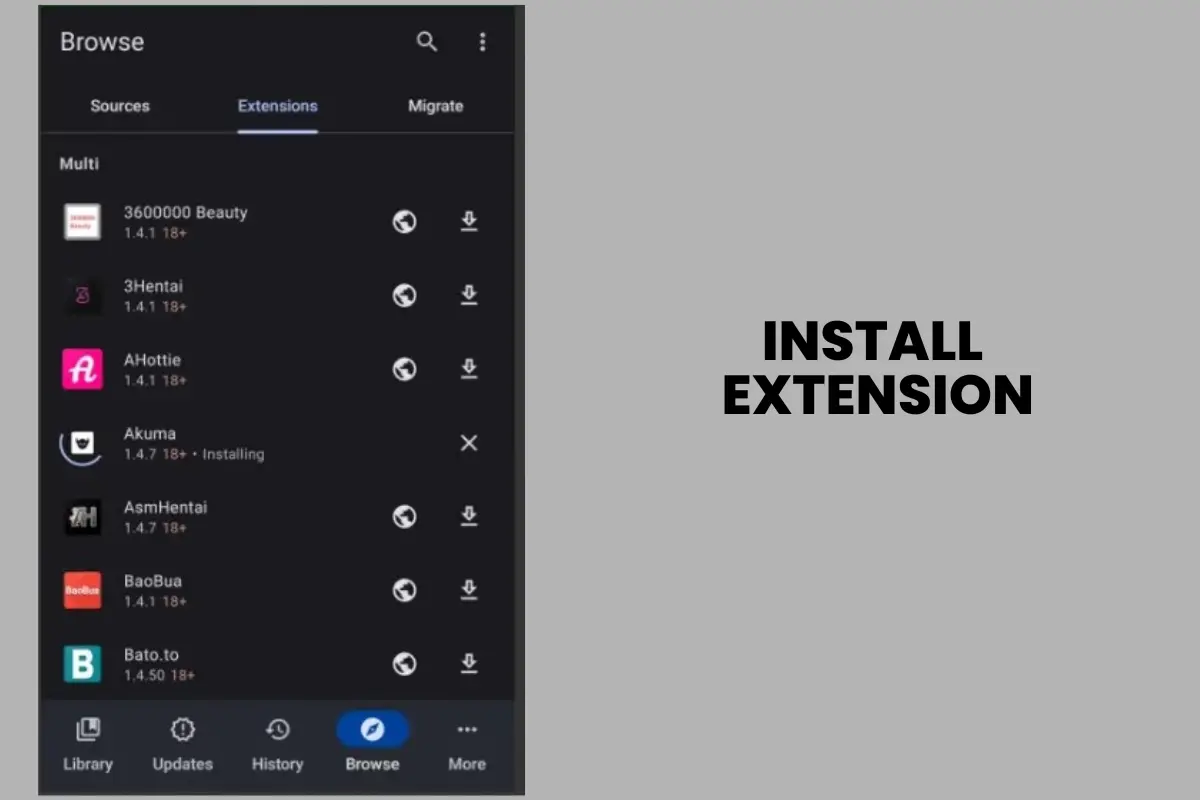
Final Result
To check if everything is working properly in Tachiyomi, open any manga series and quickly navigate from the first chapter to the fourth chapter. If the chapters load rapidly, it means everything is fine. We have provided you with the solution of your problem, how to install extensions in tachiyomi, as we promised. Now, we also give you a list of tachiyomi best extensions, which you can download according to your preference to customize your reading experience.
List of Extensions Used in Tachiyomi
MangaDex
MangaDex is one of the most popular extensions, offering a huge library with multi-language support and regular chapter updates. It’s reliable and perfect for readers who want access to translated titles from different regions.
MangaLife
MangaLife is a fast-loading source that provides daily manga updates, including some colored versions. It’s great for users who want fresh content without delays.
MangaReader
MangaReader is a good pick for fans of colored manga and rare titles. It helps you find series that are harder to access on other sources.
MangaHub
MangaHub delivers high-quality Japanese, Korean, and Chinese manga. It’s known for clear image quality, making reading smooth and enjoyable.
MangaKOD
MangaKOD features a wide range of genres, from romance and slice of life to action-packed adventures, giving something for every type of reader.
Asura Scans
Asura Scans is popular for action and fantasy titles, with quick release of new chapters. It’s reliable for staying updated with trending series.
MangaSee
MangaSee is valued for its stable servers, smooth performance, and minimal downtime. It ensures a consistent and hassle-free reading experience.
Reaper Scans
Reaper Scans is well-known for webtoons and trending manga, offering fast updates on the latest popular series.
Webtoons
Webtoons extension is best for official manhwa and vertical scrolling format. It’s perfect for users who enjoy a mobile-style reading experience on Tachiyomi.
FAQs
How to add extensions in tachiyomi?
Open Settings, then go to Extensions list, then choose and install the extension you want. You can also get this by adding a repo URL.
How to add extension repos in Tachiyomi?
Go to Settings, then open Extensions, then click Add repo, and paste the repo URL.
How to install extensions on Tachiyomi?
When you open the Extensions list, tap Install, and Tachiyomi will download it automatically.
How do tachiyomi extensions download easily?
If you want ease, then extensions can be downloaded through the in-app repo or from GitHub.
After installing one extension, can we download more tachiyomi extensions?
Yes, you can download multiple tachiyomi extensions. Simply, add additional repos for access to even more sources.
Can we make Custom Tachiyomi extensions?
Yes, you can build a custom extension and upload it via GitHub.
How to use Tachiyomi extensions?
After installing, open the Browse section, then move to Extensions, pick a source, and start reading.
How to uninstall old Tachiyomi extensions?
In Settings, move to Extensions tab, then simply choose and uninstall the outdated source.
How to update the Tachiyomi extensions?
You have to open the first extension list from the setting. Then, tap Update if a new version is available.
How to use extension repos in Tachiyomi?
Add repo URLs in Settings, then open the Extensions tab to unlock more sources.
Can you read light novels with Tachiyomi extensions?
Yes, by installing light novel specific extensions from repos.
How to download Tachiyomi extensions on GitHub?
You can visit the official Tachiyomi Extensions GitHub page, choose the extension you want, and download the file. Then, install it manually through Tachiyomi by enabling unknown sources on your device.
How to download Tachiyomi extensions on Reddit?
In Tachiyomi subreddit, users often share updated repo links and extension files. Simply follow the shared links, download the extension, and install it inside the Tachiyomi app.
What are Tachiyomi Best Extensions List?
The best Tachiyomi extensions include MangaDex, MangaSee, MangaHub, Asura Scans, Reaper Scans, and Webtoons.