

How to Fix Tachiyomi Extensions Issues
There are some common problems faced by the user to run the extensions in Tachiyomi such as sources are unavailable and extensions are outdated etc.
If you are facing issues with Tachiyomi extension you don’t need to be worried. In this article I will provide you with a complete guide to solve all these problems.
Tachiyomi is a popular, free and open source application for reading manga on android. Remember, always use trusted and safe websites for tachiyomi apk download.
Fixing Tachiyomi Extensions Issues
To fix the tachiyomi extension issues you have to take the following given steps:
Restarting Tachiyomi:
Continuous usage of apps may cause hiccups or many other issues. Let’s solve them step by step.
- First of all you have to close the app completely and then re-open it.
- In some cases simply restarting the app resolves the issue of not showing the tachiyomi extensions.
- Even after restart, extensions do not work, then close the app for a few seconds so that the background processes that are running inside the tachiyomi must be stopped completely and the app is refreshed.
Now re-open the app and go to the extension option in tachiyomi to check that all the extensions are visible and working properly or not.
Checking Internet Connection:
Ensure that your device must have a stable internet connection. If your device has poor internet connection the loading of extension may not take place properly.
Since tachiyomi retrieves manga content from various online sources so if your internet connection is interrupted the tachiyomi extensions can not load properly.
Follow below mentioned tips to solve tachiyomi extensions issues.
- Connected to a stable Wi-Fi network or mobile data
- Your Device is not in Airplane Mode
- Check data-saving settings in your device, either this blocking internet access to tachiyomi or not
- Off VPN or any other kind of proxy in your device
- Temporary Disable tachiyomi apk from your device main settings
- At last, restart your device, to solve software glitches
Tachiyomi Update:
Use the tachiyomi latest version to escape from the problems. If you are using the old version of tachiyomi go to the official tachiyomi apk website to check if the latest version is available and install it.
This is essential because when your software is updated it resolves the bug issues, the compatibility and performance of tachiyomi is improved.
A simple way is to regularly check the official tachiyomi apk website, if any latest version comes, install it on priority.
Reinstalling Extensions:
The extensions that are not showing try to reinstall them. This refreshes the extensions and fixes the issues that you are facing.
- Open the tachiyomi app on your device and check the main menu to navigate the setting, otherwise tap on your profile icon to look for the settings.
- In the settings go to the extension option to see the full list of extensions that you have installed for reading manga series.
- Extensions that are causing problems identify them and remove or uninstall them.
- Now check the list of removed extensions and reinstall them and add them into tachiyomi.
- After performing all these steps, close the app so that the changes you have done become refreshed and work properly.
If you are worried about how to install extensions in tachiyomi apk? Read another blog on our website, for the detailed guide to install tachiyomi extensions safely.
Checking Extension Settings:
Sometimes tachiyomi extensions show errors in such a way that you have installed or reinstalled extensions, but they may not appear in the tachiyomi extension list.
To add them into the list go to settings and check the extension list. If they are present but not enabled, they might cause problems in working.
Switch next to each extension to enable them. Through this process, the extensions you want to see are activated.
Reinstalling Tachiyomi:
If any of the above steps is not working, then reinstall the tachiyomi app. Before uninstalling the tachiyomi, back up the important information because when you remove the app your local data may be lost.
Uninstall Tachiyomi:
To uninstall the tachiyomi on your android
- Go to settings
- select the apps or application manager.
- Find and select tachiyomi and
- tap to uninstall it.
- Download the tachiyomi again.
To Reinstall Tachiyomi:
To reinstall the tachiyomi on your android
- Open a trusted tachiyomi apk website, on your device.
- Tap the install button to install the app.
Manual Extension Installation:
From the trusted and reliable sources such as the GitHub repository and download files for specific extensions. You can download it directly from your device.
Check GitHub Issues:
If the issues are persistent check the GitHub repositories for tachiyomi extensions to see if others are facing the same issues.
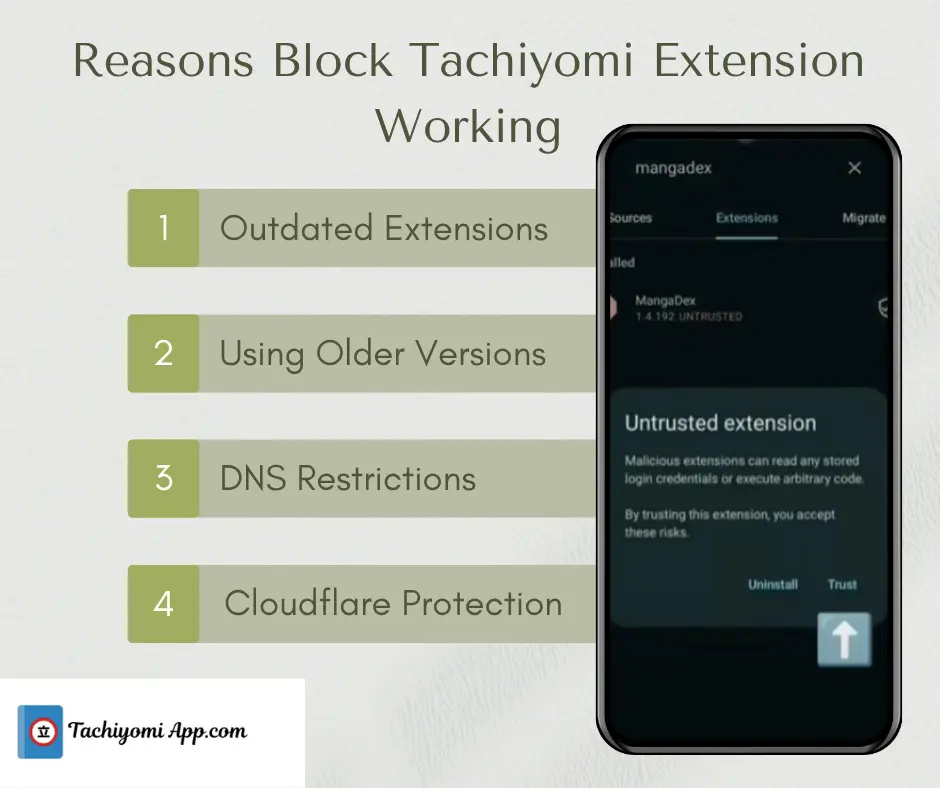
Reasons due to which Tachiyomi Extensions not Working:
- Outdated extensions cause compatibility issues, simply reinstall or update them from the latest Tachiyomi repo.
- Source websites may go offline or get removed, making extensions temporarily unavailable.
- DNS or network restrictions can block manga sources, which you can fix by using a VPN or changing DNS settings.
- Cloudflare protection sometimes blocks Tachiyomi traffic, to solve this, clear cache or change the user agent to resolve it.
- Using old forks like TachiyomiSY or AZ leads to errors, for better working, switch to the official Tachiyomi app for proper updates.
Different Roles of Tachiyomi Extensions
You can use extensions such as MangaDex, Manga Life, Manga Hub, Asura scans and many others. The role of extensions is that they are used to enhance the capability of apps to access different Manga sources.
These extensions are used as a module to browse and read manga through various online resources and directly from the website inside the tachiyomi. The purpose of these extensions is to provide a huge variety of manga titles. Every extension has its own features that add to the speciality in Tachiyomi by providing manga access to different languages from various regions.
Tachiyomi app and extensions are designed in such a way that they are compatible with each other. When any new update comes, tachiyomi extensions are updated automatically to work seamlessly, either you using tachiyomi in your pc or in iOS. But to make sure extensions auto update on time without any hassle, you should have downloaded tachiyomi pc and tachiyomi apk ios from trusted tachiyomi apk website.
List of Best Tachiyomi Extensions
Here are the best and most stable Tachiyomi extensions that work smoothly in 2025:
- MangaDex: Reliable and regularly updated with multi-language support.
- MangaSee: Fast, stable servers ensure smooth reading with minimal errors.
- MangaHub: High-quality images and consistent performance.
- Asura Scans: Frequent updates for action and fantasy manga.
- Reaper Scans: Best for webtoons and trending series with fast updates.
- MangaLife: Lightweight, quick, and rarely faces loading issues.
- Webtoons: Official manhwa source with stable and secure access.